Sunday, 14 August 2016

UnauthorizedAccessException when deleting local files

While coding the first update for My Daily Wallpaper, I wanted to tackle some of the bugs reported by my users. According to the Windows Dev Dashboard, the top bug (by a long shot) was an UnauthorizedAccessException. Based on the logs this exception was caused by the wallpaper manager, which handles the downloading and setting of wallpapers based on user settings, where it would attempt to delete the old wallpaper.

foreach (StorageFile file in files)
{
    if (file.Name.StartsWith(LockscreenManager.OriginalFilenamePrefix, StringComparison.OrdinalIgnoreCase))
    {
        await file.DeleteAsync();
    }
}

The odd thing was, this error didn't occur all of the time and didn't have any clues as to why it did happen when it did.

I was stumped.

So I honed my Google-fu and managed to stumble upon a MS forum post which sounded a lot like mine.

It turns out, that when you reference a local file via the Image control in xaml, a lock is put on the file.

<Image source="Path/To/Local/File" />

This lock doesn't even seem to be taken off for while after navigating away from the page that includes said Image control.

The result - an UnauthorizedAccessException when attempting to delete the local file.

My solution to this problem is to use a converter to create the Source for the Image control by getting the file stream and loading it into a BitmapImage.

public class ImageSourceConverter : IValueConverter
{
    public object Convert(object value, Type targetType, object parameter, string language)
    {
        string path = value as string;

        if (String.IsNullOrEmpty(path) == false)
        {
            var storageFile = StorageFile.GetFileFromPathAsync(path).AsTask().Result;

            var imageStream = storageFile.OpenStreamForReadAsync().Result;

            BitmapImage imgSource = new BitmapImage();

            imgSource.SetSource(imageStream.AsRandomAccessStream());

            return imgSource;
        }

        return null;
    }

    public object ConvertBack(object value, Type targetType, object parameter, string language)
    {
        throw new NotImplementedException();
    }
}

Wednesday, 6 July 2016

Picasa Photo Hub v2.1 : A New Update With A New Name

I've just released a new update for Picasa Photo Hub, bringing the app to version 2.1. This update was meant to be a small update to fix the notifications raised by Picasa Photo Hub that resulted in app crashes.

Unfortunately, Microsoft decided again that it didn't like the name of my app. After attempting several times to submit the update and contacting Microsoft support, I was finally told that the name having Picasa was the problem. This is due to the name being copyrighted by Google. Their naming conventions for app names (from what I can understand) allows you to use copyrighted names, but they can't be the prominent part. Meaning you can have names like "Client for Picasa", but not "Picasa Client". After a few days of brainstorming I decided on the new name of Pix Casa. Hopefully I won't be hit by the certification team again.

While I was waiting for the response on why the app was failing certification, I thought I would make the app a bit more meaty and add a feature that several users were asking for that was omitted in the transition to Windows 10. You can now once again save photos to your local device and share them with other installed apps. Why wasn't this in the original update? Originally, this was not provided by my app but instead the native photo app. So when I was doing the update, I didn't have any code that prompted me of these missing features. Maybe a good example of some needed BDD?

The app also now features in app notifications about updates from myself relating to the app. You may have even made your way to this post from these notifications :) Like with search, this new feature is only available in the Windows 10 version of the app.

Now that this update has been released, an update for My Daily Wallpaper is in the works...

Monday, 27 June 2016

My Daily Wallpaper Is Officially Out

If you haven't been following my twitter or popular news sites, then you might not have realised that I've released a new application for Windows 10 desktop and mobile. My Daily Wallpaper is out this very moment and you can download it too.

The app has had on and off development for over a year, and started off as both a solution to a first world problem and a proof of concept for a component I was developing for changing a users lockscreen that I could drop into other applications. The first world problem I had was that I kept missing XKCD comics, and so thought that if I had them automatically download onto my lockscreen I'd be able to either see (or at least be reminded of) the latest XKCD comic. The only problem was that there are 7 days in the week and only 3 XKCD comics a week. So the app evolved into including more than just XKCD and into the app that is available today.

The app was also fortunate enough to be picked for Junes AdDuplex HERO APPS program, where it was awarded the highest level. This resulted in their twitter account tweeting about the app and a review by Windows Central! They didn't mention my name, but it was more than Picasa Photo Hub ever got :) This saw a significant download boost for the app, which is somewhat niche in nature, so if your app is eligible I definitely advise you at least submit it for the program.

Unfortunately, timing was not on my side as at the time of release the current preview build of Windows Mobile 10 stopped the app from setting the wallpaper - the main function of the app. This has crippled its ratings by frustrated users (and rightfully so), which are only just moving back to positive. This was also something that was beyond my control, so I just had to sit back and watch the outcries. I submitted an emergency update to at least let the users get past the first time use setup, but that was the most I could do.

Now the app is out I'm currently working on a few things for future updates
 - New sources - the initial 4 are a bit limiting
 - Deeper configuration for how the wallpapers are set automatically
 - Bug fixes reported by users

However, this is currently taking a back seat on some bug fixes for Picasa Photo Hub - more on that soon.

So go out, download the app and spread the word via twitter or AppRaisin

Friday, 27 May 2016

Picasa Photo Hub for Windows 10 Is Finally Out


After months of gruelling work, Picasa Photo Hub is now ready and released for Windows 10 Desktop and Mobile!

This has taken a long time as while the last update for Picasa Photo Hub laid the ground work for this upgrade, the UI has been re-written from the ground up. This means that the Windows 10 version of the app now includes:

- Viewing photos and albums from within the app itself
- Sharing photos manually makes use of the background transfer service so you don't have to wait around for them to be uploaded.
- Drag and Drop photos into the app to start uploading them into your collection (Desktop Only)
- Search your photos within the app like you can on other platforms. Try searching for "food" and see what photos come up :)

But unfortunately, with this update some features are going away. Not because I didn't have time to implement them, but because Google have announced that they are retiring the Picasa services in favour of Google Photos. This happened smack bang in the middle of development and I was torn whether to carry on with the update, or to just leave Picasa Photo Hub to die. I decided that even though the service was being retired, what I was learning during development could be used in future applications. I also felt like the users of the app deserved it to work as well as possible on Windows 10. This announcement is also the reason why the UI for the Windows Phone 8.1 version has remained untouched, and will largely be the same app you already know.

However, along with Google's announcement, they have also removed the following features which have been reflected in the application:

- Commenting on photos
- Replacing photos
- Deleting Photos

So what does the future hold for Picasa Photo Hub? If a public way for interacting with Google Photos arrives, which could happen with I/O development conference just around the corner, then the app may evolve into a Google Photos application. But for now, I have decided that development on Picasa Photo Hub will be limited to bug fixes going forward.

It's been a great ride for the app, and who knows, the application may live on in some form in the future...

Thursday, 11 June 2015

For The Future: Picasa Photo Hub Update Out Now


Well, it's been a long time coming, but I've finally done it. I've hit the publish button and Picasa Photo Hub should be updating on your phone soon.

As mentioned in my previous post, I've been spending the last couple of months upgrading Picasa Photo Hub in preparation for where development on Windows is heading. It look a lot longer than anticipated, but I feel it's been worth it. I feel a little better with the shape the code is in, but more stuff needs to be done. But those changes can wait for the moment.

The main objective of this update was to migrate how background backups were managed within the application, from an old mechanism that's no longer supported (LINQ to SQL) to a mechanism that's more widely supported (SQLite). However, I wanted to achieve this while preserving your data which meant I needed an update that contained both the old existing mechanism (LINQ to SQL) and the new mechanism (SQLite) and provide a way to migrate the data.

I'm happy to confirm that this is in place :) Which means the first time you run the application or when a background backup occurs, your data will be migrated. If the first scenario is encountered, you will be greeted with the below screen.


This shouldn't take too long to complete. If you don't see this screen don't worry, it's probably just done the process in the background.

But that's not all! I also managed to squeeze the following additions in the update:
  • Re-written backup engine - This has been built from the ground up in a more re-usable form. From a Picasa Photo Hub perspective, this hopefully means you'll get less errors (both in backups and the requesting of sending error logs). From a more general perspective, it means I could provide the same backup features for other services in new apps...
  • Replace functionality - As teased in the last update, for all of you people who like to edit your photos and add filters, touch ups, etc, you can now replace the content of any photo that can be viewed within the photo hub. This means while I don't provide out of the box photo editing features, you can use one of the many apps available on Windows Phone and then upload the results via Picasa Photo Hub.
  • New logging in mechanism - As part of the migration, I'm using a more standard\secure Windows Phone ability to log you into your Picasa account. I've also updated how your authenticated details are stored. This unfortunately means that you'll need to log into the application again once you receive the update. You'll get a notification to do this if you forget :)
  • Higher Resolution Photos in Photo app - I've improved the resolution that photos are downloaded at when accessed via the photo hub. This should have happened all along, but due to a bug in the Photo app these were never downloaded. Hopefully this will improve your experience.
  • Updated rating prompt - I've heard your cries that this is too aggressive. It was never meant to be, and for that I'm sorry. I've increased the time before you'll see this.
  • Slight UI Changes - I've made some subtle changes to the UI mainly in the font to be more subtle and updated the image size selector to be hopefully more pleasing to see and use.
I hope you enjoy the update. If you have any comments, don't forget to email or tweet me or leave a comment below.

In the mean time, I'm going to take a little breather then start working on some new features for the application. Hopefully the next update won't take so long :)

Monday, 16 March 2015

Picasa Photo Hub Update

Thought it was about time for another Picasa Photo Hub update!

The upgrading in preparation for the next Windows is coming along nicely. I've upgraded most of it so that it's now using my unified portable library, along with using portable class libraries within the application itself as much as possible. This means that when the time comes to upgrade it to use all of the nice new unannounced features of Windows 10, the upgrade will be easier. It also means I don't have to maintain two internal libraries for my apps (one for Silverlight and one "Universal" apps).

This upgrade is also necessary to ensure that all of your personal data is kept in tact when the upgrade happens, as it's using some technology that has been basically deprecated (LINQ to SQL). In doing the upgrade however, I've managed to get a dormant feature working which will help with all of you guys that love tweaking your photos...


In the meantime though, I thought I would release an update to tide you over until then. This update fixes some errors reported by you as well as adding some extra debugging information to try and fix some of the other issues. They include:
  • Updated background task to check if the user is authenticated, and report issue to user if they're not.
  • Updated error logging of album picker to provide more information.
  • Made enhancements to improve background resizing of images.
  • Fixed issue where background task wasn't getting rescheduled.
  • Fixed issue where pending upload page wasn't displaying items when navigated from toast.
  • Fixed misc reported defects.
The update is live now, so grab it while it's hot!

Friday, 6 February 2015

Picasa Hub + Backup Update 1.1.3 Out Now


Another month, another update to Picasa Hub + Backup. While only a small update, fixes include:
  • Fix to the background backup facility which caused it to get stuck in certain situations.
  • UI fix which prevents users from having their albums sorted in creation descending order
  • Fixed issue that prevented users from manually uploading a picture from the "View Pending Uploads" page - I'm very sorry this has been present for so long. Took a while to realise what was the problem but thank you to everyone who sent error logs.

You might also notice that the application has had a change of name to Picasa Photo Hub. Don't worry, I haven't dropped the back up facility.

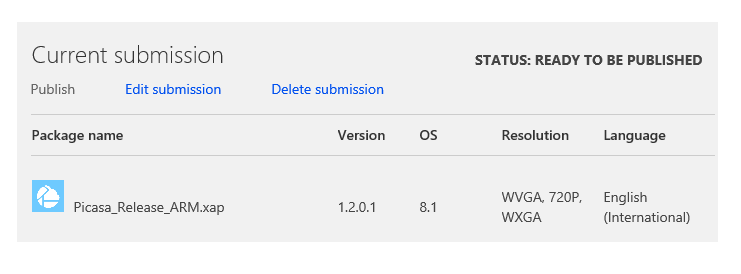
Unfortunately, Microsoft insisted on me updating the name of the application because the metadata data didn't "represent its source, functionality, or features". After contacting Microsoft about this vague failure, they pointed me to the app naming section of a blog post that someone had posted 3 months before the first version of my application even hit the store. Turns out, I wasn't the only victim of this either. Unlike them however, I fought and lost with a name that had as little departure as possible. But, for now, they're happy with the new name. All I can say is, I think for a company that is struggling to keep developers, things like this don't help. I would understand the failure if the application was new, but as it had been on the store for ~5 months with an average rating of just under 4 stars, I don't think people had a problem with the name. Hopefully with the next update I won't get this problem again.

Speaking of the next update, I'm about to start the next update which will include some more bug fixes, along with some plumbing work in preparation for the future of the application and platform. Hopefully this update will be out by the beginning of march.

In addition, to keep my creative juices flowing, I'm also currently working on some new applications, some of which I'll hopefully be able to share in the future...